Caddy Docs Press Kit
Screenshots, brand assets and facts about Caddy Docs for Mac. These materials are cleared for editorial use. Contact Blake for additional assets or review enquiries.
Download the press kit ZIP · 8.9 MB
Current App Store promotional images, website crops, app icons and logos, and a fact sheet. Updated October 12, 2026.
The app
| Name on the Mac App Store | Caddy Docs |
|---|---|
| What people call it | Caddy |
| Platform | macOS 15 or later. Universal, for Apple silicon and Intel. |
| Price | Three Caddies are free. Caddy Pro is an optional subscription at $3.99 a month or $29.99 a year (US prices), with a 7-day free trial for eligible new subscribers. It adds unlimited Caddies, extra notebooks, pets, Characters, flags, Send a Copy and Ask. Ask requires Apple silicon, macOS 27 or later, and Apple Intelligence. |
| Category | Productivity |
| Developer | Blake Morris, Kentucky |
| Privacy | No account, no analytics, no crash reporting and no advertising. See the Caddy Docs privacy policy. |
| Contact | blake@caddydocs.com |
What it is
Caddy Docs turns the edges of a Mac screen into workspaces. Each Caddy is a colored tab docked to a screen edge, and it holds one body of work: a class, a client, a project. Click the tab and a small workstation opens over the app you are already in, carrying that work’s documents, notes, and reading panes. Click it again and it goes back to the edge and stays out of the way.
Caddy sits in the Dock and in the menu bar, and on the screen edges as tabs. Clicking a tab never takes keyboard focus from the app you are typing in. You can read from a Caddy while you keep working in Word.
Inside an open Caddy the interior is a real pane layout. Documents and notes can sit beside, above, or below each other, and the dividers drag on both axes. Open a PDF or Word document, a spreadsheet, a picture, an audio file or a video side by side. HTML pages have a reader of their own, and any pane can pop out into its own window. Files are read where they already live, and are never copied and never changed.
The tabs behave like physical objects. They slide along an edge, lift off it, and can be thrown across the display with momentum that decays. There are sixteen colors. There is a mode called No Gravity that sets the whole fleet floating loose, drifting and bouncing off each other and off the sides of the screen, until you click one and it flies back to the rail.
Product images
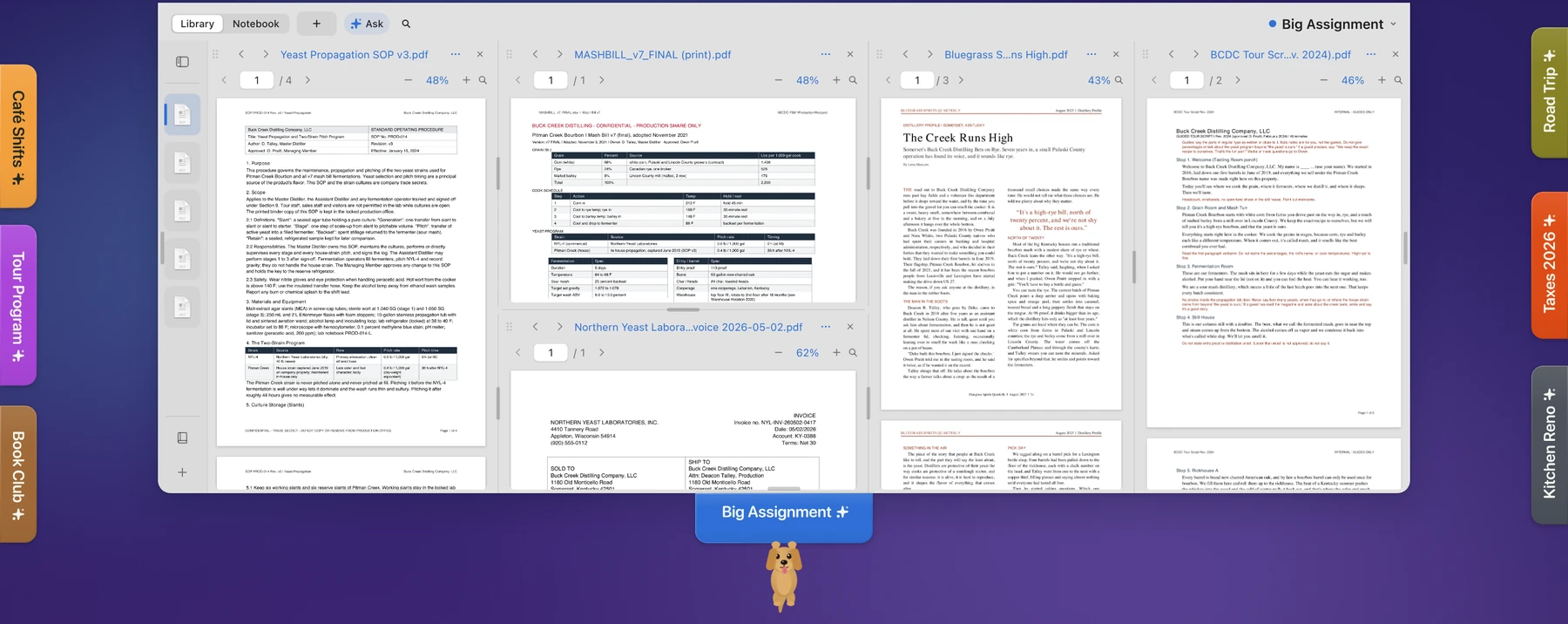
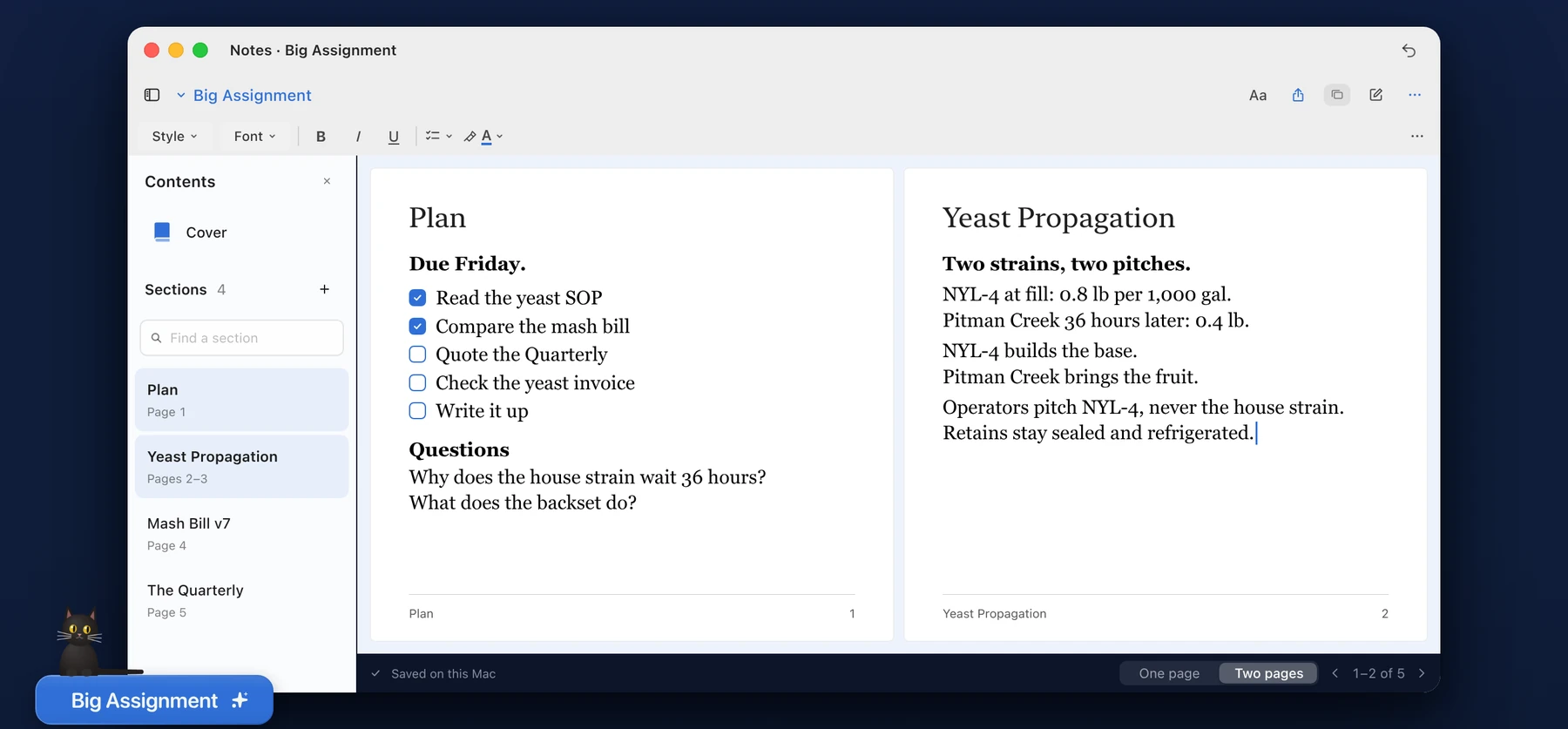

From the current App Store promotional screenshots. The press kit includes the full compositions, these website crops and source provenance.
Brand
- Tab ink #111111
- White #ffffff
- Night #0b0b0c
- Prism, the dot only
The mark is the Caddy tab with its name set in Manrope 800 and the status dot after it. Only the dot carries the prism gradient; the tab is ink on white or white on night, never a tint and never a gradient. The app is SF Pro throughout; tab labels are SF Pro Rounded Semibold 12pt. Please do not alter the icon, the mark, or the lockup, or place them on grounds that break their contrast.
Boilerplate
Lift any of this verbatim.
One line. Caddy Docs is a Mac desktop organizer that turns the edges of your screen into workspaces for documents, folders and notes, one per assignment.
One paragraph. Caddy Docs turns the edges of a Mac screen into workspaces. Each Caddy is a colored tab docked to an edge, holding one body of work and its documents, folders, notes and reading panes. Click the tab and a small workstation opens over the app you are already in; click it again and it goes back to the edge. Files stay where they already live. Caddy Docs is free on the Mac App Store with three Caddies included, offers an optional Caddy Pro subscription, and requires macOS 15 or later.
The story
Blake Morris designed Caddy after graduate school. An assignment would arrive Monday and another Tuesday, and by Thursday he had documents for six different projects scattered across one desktop and no idea which folder held what. He wanted something that kept each assignment together and stayed quiet in between. Nothing did exactly that, so he built it.
Caddy Docs is his first app. On the No Gravity mode, which lets the tabs float free and bump into each other, he has written: “None of that makes you faster at anything. I put it in because I liked it.”
Three hooks, one line each.
- No account, no analytics, no advertising.
- The workspace lives at the screen edge, one tab per assignment.
- His first app. Three Caddies are free.
Press enquiries, review copies, and anything else
Blake answers his own email. Write for a review build, a specific screenshot, or more information about Caddy.